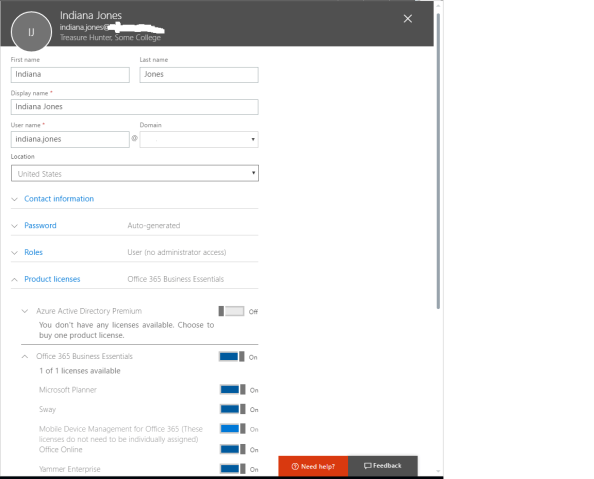
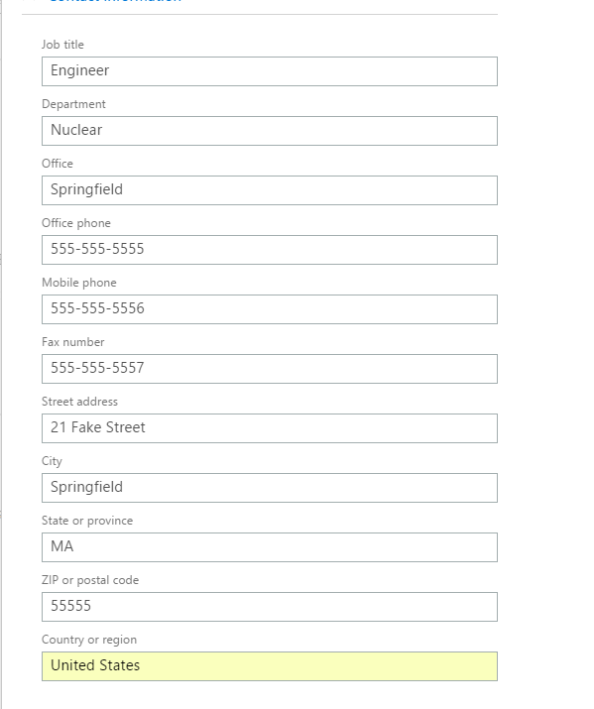
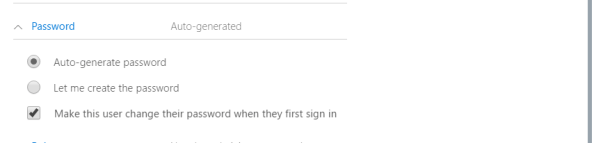
Azure AD User Provisioning – Part 1

Welcome back! Over the past year I’ve done a number of deep dives into Azure AD authentication, but what is authentication without an identity? They have to get there somehow, right? Gone are the days of legacy protocols such as LDAP or executing a command to a database to provision a local user. Identity as a service offerings such as Azure AD introduce whole new ways to provision users, both manually through the GUI and through programmatic methods such as PowerShell or the Graph API. For this upcoming series of blogs I’m going to cover the many options available with Azure AD and the plusses and minuses of each.

Let’s begin this series by talking about “legacy” tools versus “modern” tools. What do I mean by legacy? Well I mean administrative graphical user interface (GUI) options. Why are administrative GUIs legacy? Well, cloud is primarily about automation, scale, and simplicity. To achieve those ideals, “cloud” services (whether they are IaaS, PaaS, SaaS, or IDaaS) must be capable of integrating well with other solutions, whether they be COTS or custom. Pay attention to the word “integration” people. It is more important than ever.

Administrative GUIs represent the old IT where the business had to depend on IT to administer and support its technologies. This was costly in the ways of labor, time, and complexity. The focus on standardized application programming interfaces (APIs) that is happening in the cloud is attempting to streamline this process for the business. These APIs provide a programmatic method of integration with the cloud solutions to take the middle man (IT) out of the equation and put the business users in the driver’s seat. Existing COTs or custom applications can be integrated directly with these APIs to simplify and automate a number of processes that typically fell into IT’s realm.

So what are some examples?

  • Scenario: Business user needs to share a document with a partner company

    In the “old” days, the business would have to rely on IT to setup complicated VPN solutions to allow for connectivity and either provision users directly in the identity data store or configure Active Directory trusts. With the standardized APIs emerging in the cloud, an existing identity management system can be directly integrated with an IDaaS API.

    If the business takes advantage of the programmatic access, the business user clicks a button of the person or persons he or she wishes to share the document with, the request goes to an approver such as the data owner, and the provisioning is done automatically by the application. No service requests or multiple day turnarounds from IT required here. The value presented by IT in here was the initial integration, not much else.

  • Scenario: Business focuses on application development and a developer requires a new web instance to test code

    In “legacy” IT the developer would need to submit a request to IT to provision a server, install and configure the appropriate middleware, and have security staff verify the server and applications have been configured for compliance. The developer would then need to wait to be provisioned for access as well as deal with the continued maintenance of the web instance. All of this took time and this was time the developer wasn’t developing, which impacts the businesses ability to deliver the product and service they’re in business to deliver.

    We know the value that PaaS provides here, but what about the APIs? Well, envision a service catalog where a developer requests an instance of a web platform that is automatically provisioned and configured to the businesses baseline. Where was IT in this scenario? They setup the initial integration and keep the baselines up to date, and that’s it. Not only does the business save money by needing less IT support staff but its key assets (developers) are able to do what they’ve been hired to do, develop, not submit requests and wait.

In the above two scenarios (and there are oh so many more), we see that IT professionals can no longer focus on a single puzzle piece (server, OS, networking, identity, virtualization, etc), but rather how all of those puzzle pieces fit or “integrate” together to form the solution. Cloud as-a-service offerings made the coffin and simple APIs are the nails sealing the coffin finally putting the “legacy” IT professional to rest.

So why did I spend a blog entry talking about the end of the legacy IT professional? I want you to think about the above as I cover the legacy and modern provisioning methods available in Azure AD. As we explore the methods, you’ll begin to see the importance programmatic access to cloud solutions will play in this cloud evolution and the opportunities that exist for those IT professionals that are willing to evolve along with it.

In my next post to this series I will cover the various GUI methods available for user provisioning in Azure AD.

Attribute Uniqueness in Azure Active Directory

As I dive deeper into Azure Active Directory, I am learning quickly that AAD is a very different animal than on-premises Active Directory Domain Services (AD DS). While both solutions provide identity, authentication, and authorization services, they do so in very different ways. These differences require organizations to be prepared to adjust standard processes to get the two services to work together. Today I will focus on the identity portion of the solution and how the different attribute uniqueness requirements in AAD and AD DS can introduce the need for evolution of management processes for AD DS.

The attributes I want to focus on are userPrincipalName, proxyAddresses, and mail. In AD DS userPrincipalName is a single valued attribute, proxyAddresses is a multivalued attribute, and the values included in those attributes must be unique to the object in the forest. The mail attribute (the attribute that populates the E-mail field on the General tab of Active Directory Users and Computers (ADUC)) is a single valued attribute that doesn’t have a uniqueness requirement. In AAD all three attributes retain their single value or multivalued properties, however, the uniqueness requirements change considerably.

AD DS allows these values to be duplicated across different attributes. For example, one object could have a userPrincipalName of john@contoso.com and another object could have a value in its proxyAddresses attribute of SMTP:john@contoso.com. The same goes for an object that has a mail attribute of john@contoso.com and another object has a value in its proxyAddresses of john@contoso.com.

In AAD this is no longer true. User, group, and contact objects synchronized to AAD from AD DS require the userPrincipalName, proxyAddresses, and mail (also targetAddresses if you’re using it) to be unique among all objects in the directory. This means that each of the scenarios I discussed above will create synchronization errors. You can’t have one user object with a value in the proxyAddresses of john@contoso.com and another use object with mail attribute of john@contoso.com.

What happens if you do? Well, let’s make it happen. In this scenario we have two user objects with the configuration below:

Object 1
userPrincipalName: jess.felton@journeyofthegeek.com
proxyAddresses: SMTP:felton@feltonma.com
Sync Status: Already synced to Azure AD

Object 2
userPrincipalName: matt.felton@journeyofthegeek.com
proxyAddresses:
mail: felton@feltonma.com
Sync Status: Not yet synced to Azure AD

After we force a delta synchronization of Azure AD Sync, the errors provided below pop up in Synchronization Manager and an email alert:

Screen-Shot-2016-06-05-at-8.07.18-PM.png

Screen-Shot-2016-06-05-at-8.08.24-PM

The net result of the above matt.felton@journeyofthegeek.com won’t synchronize correctly to AAD and the user will be unable to authenticate to AAD. How about two user objects with the same mail attribute? That’s a common use case, right? Nope, same issue. Take note that just because you receive an error saying the issue is with a duplicate value in the proxyaddresses attribute, it could be the userPrincipalName, mail, or targetAddress of another object in AD DS.

Small differences like this can lead to major changes in how organizations manage AD DS when they begin their journey into AAD. The key take away here is to understand that AD DS and AAD are not the same thing, the differences need to be understood, and you must be prepared to evolve existing processes if you wish to leverage the solution.

I’ll end this with a thank you to Jimmie Lightner from MS for his blog post that brought light to this issue many months ago. You can read that post here.

P.S. Take note that if you opt to an alternate login ID (separate attribute from userPrincipalName for user identifier in AAD), the uniqueness will carry over to that attribute as well.

A taste of the cloud with Symantec.cloud Email Security

Recently, I had a chance to demo three of Symantec’s cloud services: Symantec.cloud Email Security, Email Encryption, and Endpoint Security . Since there do not seem to be too many detailed reviews of Symantec’s cloud services floating around on the Net, I figured I relay my experiences with the service.

Today I will be talking about Symantec.cloud Email Security.

Symantec.cloud Email Security

Host based anti-malware is all well and good, but stopping malware from ever entering network is even better. That is where the Email Security portion of the Symantec’s cloud services comes in. The service aims to provide anti-spam, anti-virus, image control, and content control of email through a single cloud-based service managed using a web-based client portal.

Setup was fairly easy, it involved filing out some paperwork with information about the network and submitting it to Symantec to aid in the configuration of the client portal. After about two weeks, we were provided with an email with further instructions of how to configure the mail servers. The service requires directing the mail server to send all mail to Symantec through a TLS-encrypted connection, adjusting MX records to point to Symantec’s servers, and optionally locking down SMTP ports to allow traffic to and from only Symantec servers. Performing all three of these tasks has the added benefit of decreasing the attack surface of the network by locking down SMTP and providing additional confidentiality of email data as it flows between the company’s network and Symantec’s mail servers (I’ll talk more about this when I review the Encryption portion of the service). Symantec support replied quickly to any problems we ran into during the setup.

Once everything was in working order, we were provided access to the web-based portal. (click on images and select expand to full size)

The summary window provides graphical representations and statistics showing total incoming and outgoing email, emails containing viruses, spam, blocked images, and blocked content. It is pretty typical of the summary windows you encounter in any type of enterprise level security software, nothing too special. Although it is neat to watch the amount of spam rise and fall depending on the day of the week (it seems even spammers enjoy taking the weekend off.)

The anti-virus piece of the service utilizes Symantec’s vast database of virus signatures to detect and remove viruses from email. The added benefit of this is better detection of zero-day threats since you are not sitting waiting for the DATs to be released and pushed to your local gateway anti-malware solution. There is not much configuration to this portion of the service.

The anti-spam portion of the service uses typical anti-spam lists, as well as heuristics and a signature system. From our testing, the lists catch close to 50% of the spam using the lists and the heuristics and signature system each catching about 25%. We were really impressed with the effectiveness of the filter. Almost no spam made it through and we had a false positive only about 1 out of every 10,000 emails.

The configuration options are pretty typical of any anti-spam solution. Email can be sent to a quarantine hosted by Symantec, sent along through with an appended header, blocked, or sent to a bulk email address. The quarantine feature was pretty nice, as each user can be setup with access to his or her quarantined emails to restore any false positives. Another available option is to give a single user control over the quarantines of multiple users. The only downfall to this option is control of the quarantines cannot be shared among users. Hopefully that is a features Symantec will add in the future.

The content control feature of the service is really intense as can you can see from the screenshot below. I won’t go too in depth into it because I didn’t spend too much time playing with it. Suffice to say it is pretty awesome. Want to know if your users are sending personally identifiable information out over email without encrypting it? That can be done, even so far as scanning Microsoft Office and OCR’d PDFs. Suspect a certain users of sending company info out of the network without permission? Setup a rule to copy his or her email with specific attachment types to another email address for further review.

The system uses templates to detect patterns and the templates can be created by the user or with help by Symantec . We had Symantec help us create a template to detect bank account numbers and tested it by sending some Excel documents through the system with fictitious account numbers. The system caught the emails with the pattern and notified us of the email address used to send the email. These caught emails can be let through, tagged, logged, deleted, redirected to the administrator, or copied to the administrator. I can see this coming in handy when trying to prevent a data breach of confidential information or during an internal investigation of an employee’s email activities.

I didn’t play with the image control feature of the service. It looks to be as intense as the content control from the little that I looked at.

If you are in need of a customized report from the system, you can request Symantec to create one for you. I didn’t end up utilizing this feature, so I can’t say what the response time from support is.

Overall, I was really impressed with the service. The spam filter was amazing and the anti-virus seemed solid. I can think of a thousand usages for the content control and can’t wait to play with it further. Cost isn’t too bad, about $4,000 / year for 50 users. If you are looking to free up some server resources, consolidate software packages, and possibly increase your network security, Symantec’s cloud Email Security service is something to look at.